Project Summary
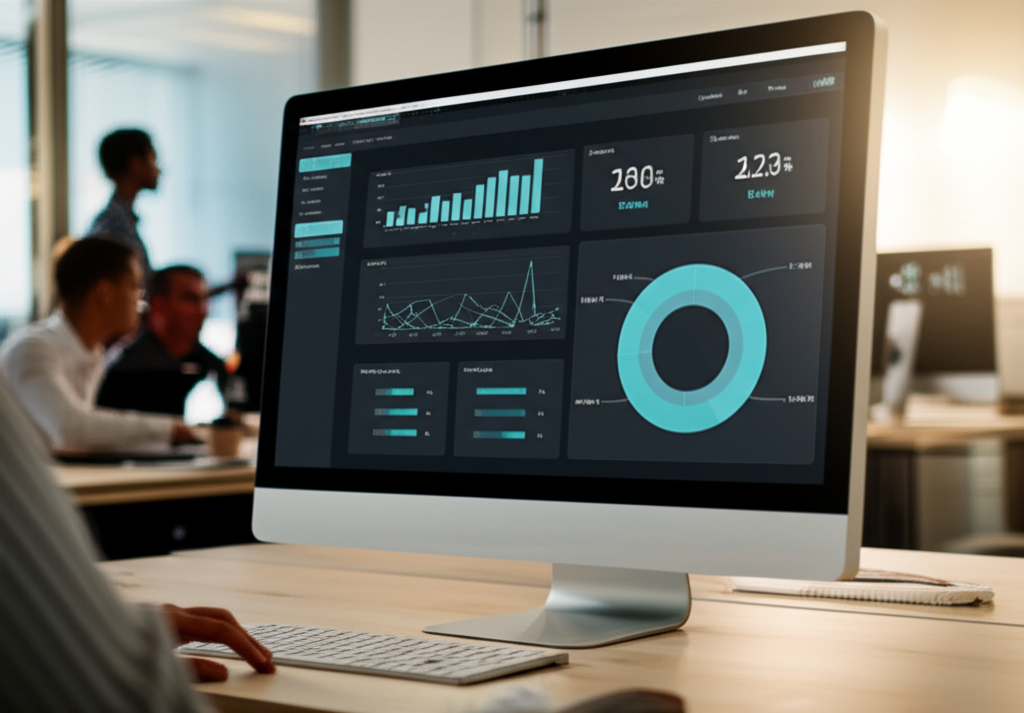
Streamlit KPI dashboard demonstrating executive-quality BI reporting with synthetic data, interactive charts, and period-over-period metric deltas.
Technical deep dive
The Streamlit KPI Dashboard is an executive-quality business intelligence demo built entirely in Python. It generates realistic synthetic KPI data with NumPy, renders interactive charts and metric cards in Streamlit, and demonstrates how data scientists can ship stakeholder-ready reporting without a separate frontend team. For SEO around Streamlit dashboard, KPI visualization Python, and business intelligence prototyping, this repo is a concise proof point that complements my larger FastAPI + Next.js production systems.
Dashboard capabilities
- Synthetic KPI time series with configurable seasonality, trend, and noise parameters
- Metric cards with period-over-period delta indicators (up/down/neutral)
- Interactive line, bar, and area charts with Streamlit-native widgets
- Sidebar filters for date range, segment, and metric category
- Dark/light theme compatibility via Streamlit theming
- Single-file deployability — ideal for internal demos and portfolio review
Architecture
| Component | Technology | Role |
|---|---|---|
| Data layer | NumPy, pandas | Synthetic KPI generation and aggregation |
| UI | Streamlit | Layout, widgets, and chart rendering |
| Charts | Streamlit native + Plotly optional | Interactive visualization |
| Config | Python constants / env | Seed, date range, segment definitions |
Quick start
git clone https://github.com/cdtalley/streamlitKPIDashboard
cd streamlitKPIDashboard
pip install streamlit numpy pandas plotly
streamlit run dashboard.py
Key Features & Capabilities
- Synthetic KPI time series with configurable seasonality and trend
- Metric cards with period-over-period delta indicators
- Interactive line, bar, and area charts with sidebar filters
- Single-file deployability for demos and portfolio review
Tech Stack & Components
PythonStreamlitNumPypandasPlotly
Getting Started
1.Launch dashboard
Requires Streamlit and NumPy.
git clone https://github.com/cdtalley/streamlitKPIDashboard
pip install streamlit numpy pandas plotly
streamlit run dashboard.py
Frequently asked questions
- Is the KPI data real?
- No — the dashboard uses NumPy-generated synthetic data designed to look realistic for demo and portfolio purposes. Replace the data layer with your own CSV or database connection for production use.
- Can I deploy this to Streamlit Cloud?
- Yes. Push to GitHub and connect via share.streamlit.io. Ensure requirements.txt lists all dependencies.
- How does this compare to the LangChain Enterprise Dashboard?
- The KPI dashboard is a focused BI demo. The LangChain Enterprise Dashboard is a full GenAI workbench with multi-agent routing, RAG, and MLOps tooling — see draketalley.ai/blog/langchain-enterprise-ai-workbench.
- What Python version is required?
- Python 3.9+ with Streamlit 1.28+. Check requirements.txt in the repository for pinned versions.